
FAQs - Visit Showrooms
BigBlueButton will be used.
Enter 'tekom live' and switch from there to the showrooms.
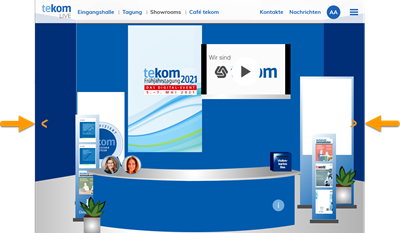
Yes, you can move from one showroom to the next just like in a gallery. Display a showroom and click on the forward or back arrow.
Yes. Go to the exhibitor overview. There you can either filter the exhibitors by services or search for an exhibitor name using the search field.
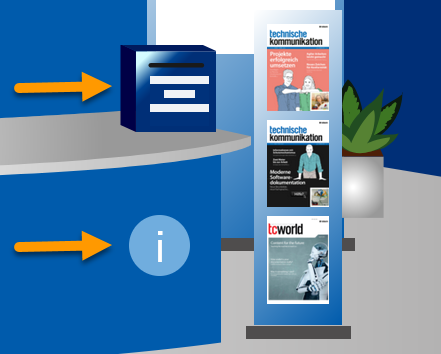
You have several options to arrange a time slot. Enter the showroom of the exhibitor.
- Click the business card box and on the business card form activate "Please arrange a time slot for me"
- Click the "i" and then click “Arrange a time slot”
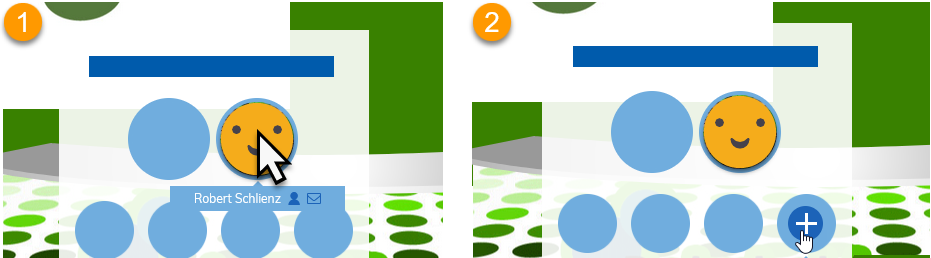
Yes. The showrooms are staffed during the conference. Go to the exhibitor's showroom. You will see which consultant is currently in the showroom.
- Hover the mouse over the consultant's name; you will see which seat is vacant.
- Click on an unoccupied circle to enter the video call.
Tip: Next to the consultant name you will see two icons. These allow you to view the consultant profile or send a message to the consultant.
In the showroom you can see which consultant is currently in the showroom. Move the mouse over the consultant's name to see which seat is free. Click on an unoccupied circle to enter the video call.
A BigBlueButton room is used for the video chat. The virtual room is shown in a browser tab. Close the tab of the BigBlueButton Room with "X" sign of the tab.
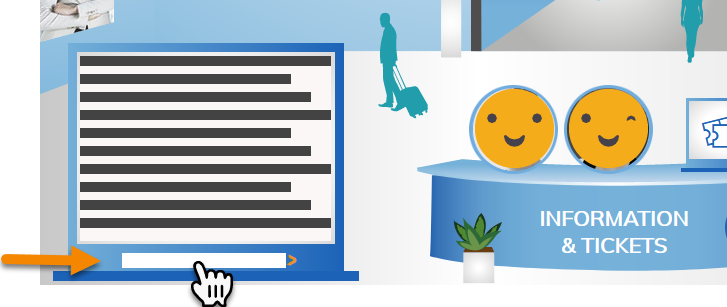
You can enter 5 minutes before the start.
View the sponsored session. To do this, go to the entrance hall and click on "sponsored session" in the event ticker on the left side. The tile view with the sponsored session is displayed. The tile shows LIVE when the link to the event is available. Click on the tile and then enter the room by clicking "save a spot".