
FAQs - GotoWebinar
The current system requirements can be found on the manufacturer's page.
View system requirements
Perform system check for GoToWebinar
No, you can launch GoToWebinar in a browser.
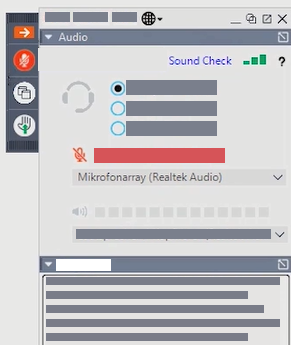
Click on the arrow at the top right of the screen. This opens the control panel. In the Audio section, you can select a different microphone or even a phone call.
For GoToWebinar you do not need a webcam, because as a participant you cannot start the webcam.
As a participant you can only contact the moderator.
As a participant you can only contact the moderator.
After the individual event, you will receive a link to a video call. There you can still exchange ideas with other participants and the speaker.
In GoToWebinar, the control panel is important. There you can change your audio settings, ask questions and also raise your hand.
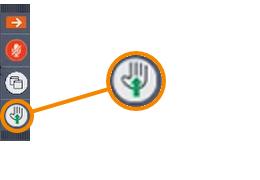
At the top right you will see a bar with a hand symbol. If you click on it, the hand symbol will be displayed next to your name in the list of participants. Only the organizer and the presenter will see the list of participants.
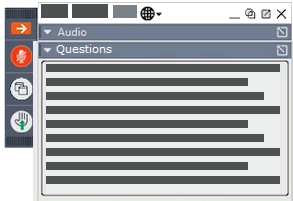
Open the Questions section in the control panel. There you can ask your question. Only the organizer and the presenter can see the questions. If the presenter answers in writing, he can make the answer visible only to you or to all participants.